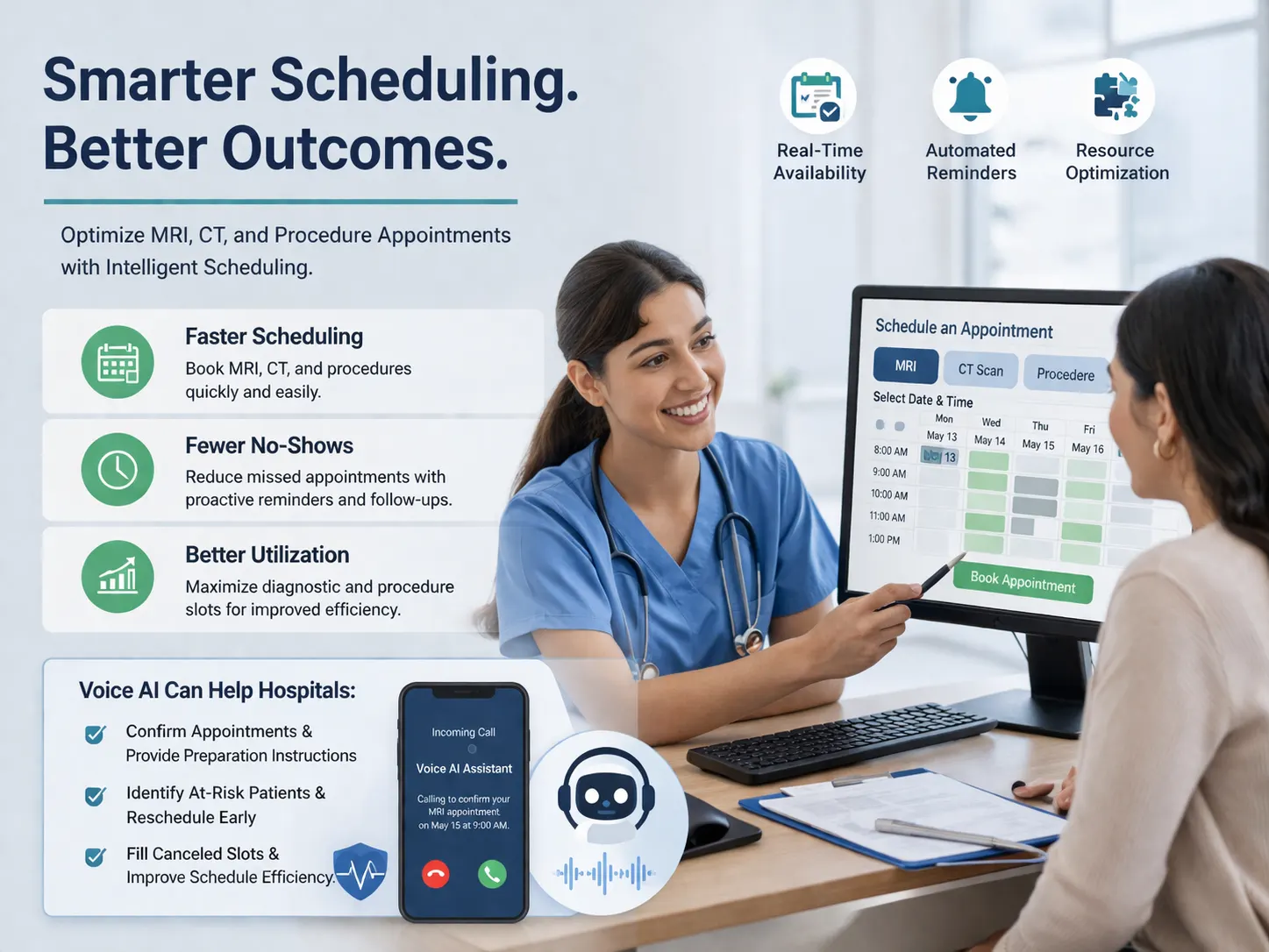
For most hospitals, the front desk is not just a desk. It is the first operating layer of patient access. It is where new appointments begin, urgent questions land, routine confusion gets resolved, and first impressions are formed. But in practice, hospital front desks and patient-access lines are often overloaded, under-resourced, and forced to operate with uneven coverage across peak OPD hours, lunch shifts, weekends, and after-hours periods. The result is familiar: long hold times, missed calls, repeated call attempts, frustrated patients, and staff spending too much time answering the same questions instead of focusing on higher-value work. McKinsey notes that healthcare leaders are investing in conversational AI, virtual assistants, and related tools precisely because digital and AI solutions can improve both operational efficiency and consumer experience.
This makes front desk overflow and after-hours call handling one of the most strategically important Voice AI use cases in hospitals. It is easy to dismiss this category as “answering calls,” but that undersells the workflow. In reality, hospital front-desk calls carry appointment demand, access bottlenecks, department-routing complexity, patient anxiety, and after-hours care-navigation problems all in one stream. Recent hospital reporting reinforces how much this matters operationally. Tampa General reported lower abandonment rates, shorter wait times, and increased appointment scheduling after deploying AI in its call center, while Nebraska Medicine reported that calls handled by AI agents had zero-second answer times for routine inquiries, eliminating patient wait times on those calls.
That is why hospitals should stop thinking about overflow and after-hours calls as a staffing inconvenience. They should start thinking about them as an access workflow. If the hospital cannot consistently answer, route, and resolve common patient calls, it is not just missing communications. It is weakening access to care.
The real hospital problem is not “too many calls.” It is inconsistent access.
Hospitals often frame front-desk pain in terms of volume: too many calls, too few agents, too much demand during narrow windows. That is real, but it is not the deepest problem. The deeper issue is inconsistency.
Patients do not experience the hospital’s org chart. They experience whether the hospital is reachable when they need it. If the front desk answers quickly at 11 a.m. on a Tuesday but not at 6:30 p.m., during peak OPD hours, or on a weekend, the patient does not think in terms of staffing constraints. They simply feel that the hospital is difficult to access.
That matters because many of the calls hitting hospital reception or patient-access lines are not optional. They include:
- appointment booking and rescheduling,
- department and doctor availability questions,
- hours and location questions,
- report-status inquiries,
- billing or payment routing,
- prescription/refill routing,
- preparation questions before visits,
- and after-hours “what should I do now?” questions.
Current healthcare AI contact-center reporting reflects exactly this mix. Healthcare IT News’ 2026 contact-center trend coverage highlights scheduling, refills, lab-test requests, billing, and patient communication as core healthcare AI use cases, while Becker’s 2025–2026 coverage emphasizes automation improving patient access and reducing administrative burden.
So the right lens is not volume alone. It is access reliability.
Why after-hours matters more than hospitals sometimes assume
Hospitals often underestimate how much demand happens outside the narrow band when the front desk is fully staffed. Patients call after work. Caregivers call after they are free. People who missed the hospital during the day call in the evening. Patients discharged recently may call after hours when instructions become confusing or symptoms change. Even if the hospital does not want to handle every issue fully at night, it still benefits from having a responsive first layer that can capture intent, guide the caller, and escalate appropriately.
Becker’s 2026 coverage of an after-hours clinic model noted that the operation expected to take 20 to 40 calls a night and use that to triage patients to the right level of care, illustrating how meaningful after-hours call volume can be even in a specific care-access setting.
That point is important. After-hours call handling is not just about convenience. It is about care navigation, demand capture, and preventing unnecessary friction or even unnecessary ED utilization when patients do not know where else to go.
In other words, when a hospital improves after-hours answering, it is not simply extending receptionist coverage. It is extending navigational access to the health system.
Why front desk overflow is operationally expensive
The cost of missed or delayed front-desk calls is usually hidden because it shows up across multiple systems. A missed call might become:
- a lost appointment,
- a repeat call later,
- a complaint about reachability,
- a walk-in that could have been routed differently,
- or an unnecessary escalation to a more expensive channel.
The operational burden also lands on staff. Reception and patient-access teams spend large portions of the day answering repetitive questions that could be handled consistently by automation:
- what are your hours,
- where is this department,
- how do I book,
- can I reschedule,
- do you have my report,
- which doctor should I see,
- can someone call me back,
- is the hospital open now,
- what should I bring.
This is why AI-supported call handling is gaining traction. It is not because hospitals want a novelty layer. It is because they are trying to preserve human time for exceptions, empathy, and judgment while reducing the administrative drag of routine inbound demand. McKinsey’s healthcare service-operations analysis and current healthcare AI call-center coverage both point in that direction.
Why Voice AI fits better than traditional IVR for hospital front-desk workflows
Traditional IVR can route calls. It is much less effective at understanding patients.
A patient does not usually think in menu terms. They say things like:
- “I need to see a cardiologist tomorrow.”
- “I’m trying to reschedule my scan.”
- “I was discharged and have a question.”
- “What time is radiology open?”
- “I got a missed call from the hospital.”
- “Can I speak to someone about my bill?”
- “I’m not sure whether I should come in.”
A rigid keypad tree turns those real-world intents into friction. Voice AI is more useful because it can hear the patient’s words, infer the likely intent, guide the next step, and only escalate when necessary. That makes it especially suitable for hospital access environments where requests vary but the underlying workflows are still structured.
Current healthcare vendor and industry coverage reflects this distinction clearly. AI voice agents are being positioned not just as better answering systems, but as workflow-oriented tools for scheduling, refills, verification, FAQs, and patient access support.
The advantage is not just natural language. It is lower friction between the patient’s request and the right action.
What a good hospital front-desk Voice AI layer should actually do
A strong hospital front-desk Voice AI workflow should not try to impersonate the entire hospital. It should do a few things very well.
First, it should answer immediately. Nebraska Medicine’s experience with zero-second answer times on AI-handled routine calls is instructive here because speed itself is part of the patient experience.
Second, it should understand common patient intents such as:
- book or reschedule an appointment,
- find a department,
- ask about timings,
- ask what documents to bring,
- ask for report guidance,
- route billing questions,
- and capture callback requests.
Third, it should handle after-hours differently from daytime overflow. During daytime overflow, the goal may be deflection of routine calls and better routing. After hours, the goal may be informational support, callback capture, urgent-direction triage, and demand preservation until the next operating window.
Fourth, it should know when to escalate. Not every patient request should be completed autonomously. Complex clinical questions, distressed callers, urgent symptoms, and nuanced financial or care-coordination issues should move to human workflows or urgent guidance paths.
That is the right design principle:
- AI for first-touch reachability and routine resolution,
- humans for exceptions, judgment, and sensitive cases.
Why this is really a patient-access problem
This use case should sit with patient access strategy, not just reception operations.
That is because many hospital growth and experience outcomes depend on first-touch responsiveness:
- how many appointments are booked,
- how many inbound calls are abandoned,
- how quickly patients get directions,
- how often they get transferred,
- how many repeat calls are created,
- and whether the hospital feels reachable.
Recent examples support the business value. Tampa General reported a 58% reduction in average call wait times, a 56% reduction in daily call abandonment, and a 21% increase in scheduled appointments after deploying AI agents in its experience center.
Those are not small call-center improvements. They are access and revenue improvements.
That is why a hospital’s front desk should no longer be treated as a passive reception function. It is a live patient-access channel, and it deserves the same design thinking hospitals apply to digital scheduling, websites, and outpatient growth.
After-hours call handling is also a care-navigation opportunity
Many hospitals focus on after-hours in terms of unanswered calls. A better framing is care navigation.
An after-hours caller may need one of several things:
- reassurance about what time to call back,
- urgent directions on where to go,
- a message captured for next-day follow-up,
- clarification about whether a department is open,
- a way to reschedule without waiting until morning,
- or a signal that the hospital has actually heard them.
This matters because poor after-hours reachability can push patients into higher-friction or higher-cost channels. Becker’s reporting on after-hours clinic operations explicitly linked nighttime call handling to better triage and fewer unnecessary ED visits.
So the value of after-hours Voice AI is not just staffing substitution. It is routing people to the right next step when the building is not fully staffed.
The hidden analytics advantage
One of the biggest hospital advantages of Voice AI here is structured insight.
Every overflow or after-hours call can generate signals like:
- appointment request,
- department query,
- hours/location query,
- report-related call,
- billing intent,
- urgent callback request,
- no human available,
- escalated to on-call workflow,
- abandoned after answer,
- or follow-up needed next business day.
That data is operationally valuable.
It helps hospitals understand:
- what callers actually want after hours,
- which departments generate the most demand,
- what information is most frequently requested,
- where front-desk staffing is breaking down,
- and which call categories should be automated first.
This is how a hospital turns “call overflow” from a staffing complaint into a measurable access design problem.
Where hospitals should start
The best starting point is not to automate everything. It is to automate the highest-volume, lowest-risk first-touch workflows.
Good starting points include:
- department hours and location queries,
- appointment booking or callback capture,
- appointment rescheduling,
- report-guidance and “whom should I call” flows,
- front-desk overflow during OPD peaks,
- and after-hours capture for the next-day team.
As the workflow matures, hospitals can expand into:
- billing routing,
- refill-routing,
- discharge follow-up routing,
- and more specific departmental flows.
This phased model aligns with how healthcare AI voice deployments are currently being described: start with high-volume, structured workflows where operational pain is clear and success is measurable.
Where HuskyVoiceAI fits
HuskyVoiceAI is well suited to hospital front-desk overflow and after-hours call handling because it can provide an always-on conversational first layer for common patient requests.
A hospital could use HuskyVoiceAI to:
- answer calls immediately during front-desk surges,
- handle after-hours incoming calls,
- book or capture appointment requests,
- answer common timing, location, and department questions,
- route billing or report-related queries,
- capture callback requests,
- and escalate urgent or complex cases into the right human workflow.
That is especially valuable for hospitals that want to improve reachability without simply adding more manual front-desk staffing to every hour of the day.
Want to improve hospital call answering during front-desk peaks and after hours?
HuskyVoiceAI can help hospitals reduce missed calls, handle routine patient questions 24/7, support appointment and routing workflows, and create a more reliable first-touch patient access experience.
Final takeaway
Hospital front desk overflow and after-hours call handling should not be treated as a low-level receptionist problem. They are patient-access problems, care-navigation problems, and experience problems. The evidence from current hospital AI deployments is increasingly clear: faster answering, lower abandonment, and better routine-call handling can directly improve how reachable and usable the hospital feels.
The strategic opportunity is to move beyond missed-call tolerance and build a hospital communication layer that is immediate, structured, conversational, and always available for the workflows that do not require a human every single time. That is where Voice AI can create real value.
FAQ
What is hospital front-desk overflow handling?
It is the process of managing incoming patient calls when reception or patient-access teams are overloaded, unavailable, or unable to answer in time.
Why is after-hours call handling important for hospitals?
Because patients often call outside normal staffed windows for appointments, clarifications, routing, or urgent guidance. Better after-hours handling can improve navigation, reduce missed opportunities, and support better triage.
Can Voice AI answer hospital calls after hours?
Yes. Voice AI can answer common questions, capture callback requests, support appointment-related workflows, and escalate urgent or complex situations based on defined rules.
How is Voice AI different from IVR for hospital front desks?
IVR depends on fixed menus. Voice AI can understand natural patient requests, guide the next step more conversationally, and reduce friction for common hospital access workflows.
What metrics should hospitals track for this use case?
Useful metrics include answer time, abandonment rate, missed-call reduction, after-hours call volume, appointment capture, callback completion, and common-intent distribution. Tampa General’s reported reductions in wait times and abandonment illustrate why these access metrics matter.