An AI copilot on standby during every live call
Give your team real-time context, guidance and connected actions while they speak with customers. HuskyVoiceAI can help surface information, guide actions through connected tools, take notes, update the CRM and support the next step.
Surface customer, account and workflow information when your team needs it.
Help trigger connected tools, workflows and next steps during the call.
Transcribe, take notes, capture outcomes and keep systems updated.
PERSONALIZED AI COPILOT DEMO
See how AI could assist your team during calls
Tell us how your team handles voice calls today and we’ll map where a Copilot can help with context, tools, notes and follow-up.
Your team stays in control. AI works beside them.
AI Voice Copilot does not replace the person handling the conversation. It stays on standby to help with the information, guidance and actions they need while the call is happening.
Your team speaks with the customer and remains in control of the interaction.
Context, guidance, tool actions, notes, system updates and next steps stay within reach.
Keep assisted calls connected to the rest of your voice operations
Human-led calls supported by AI can sit alongside your other inbound and outbound conversations, with call history, status, source, duration and outcomes kept in one workspace.
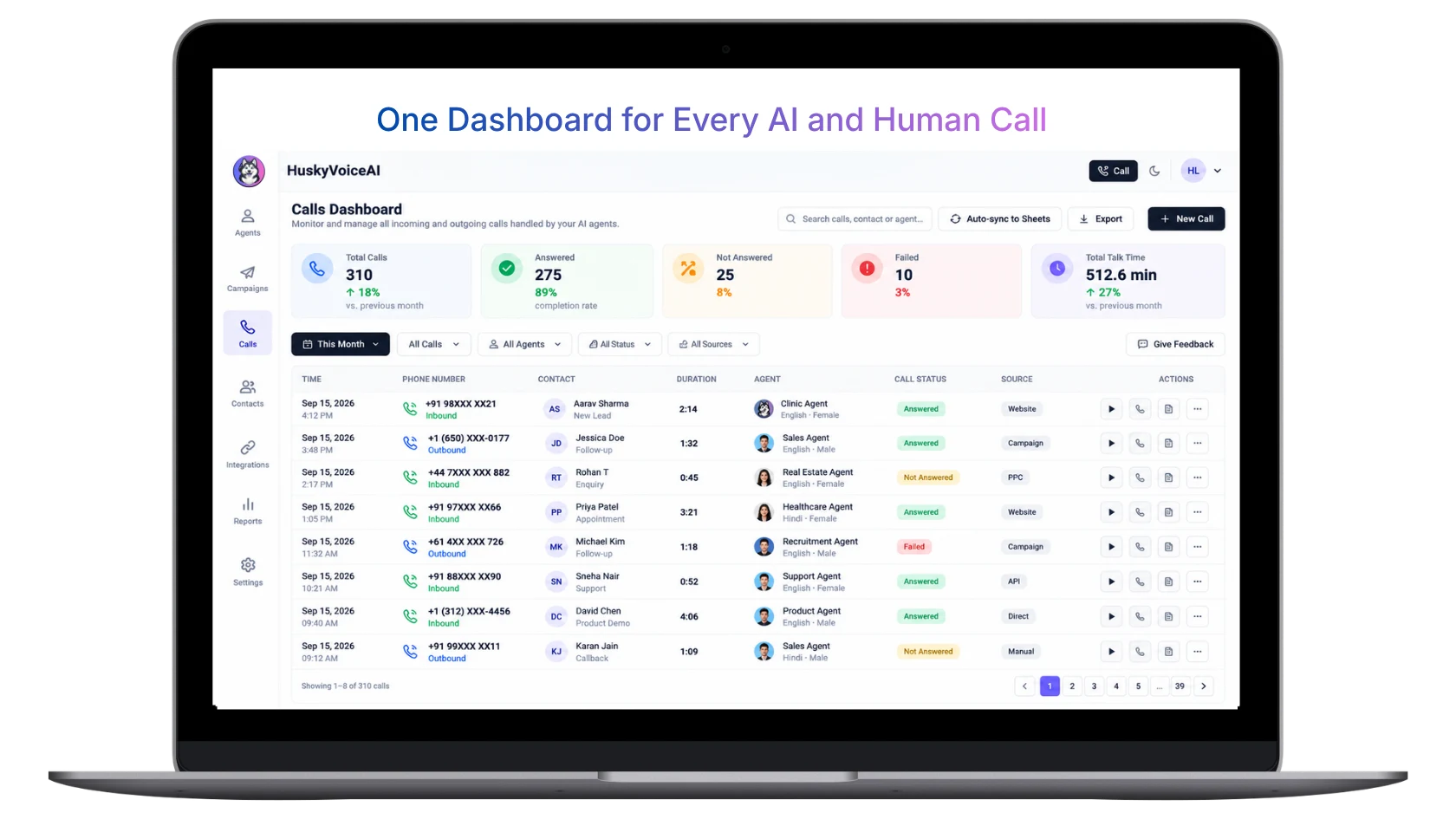
On standby with context, guidance and actions when your team needs them
Give people handling live calls a connected AI layer around the conversation — without taking control away from them.
Give your team the right information
Help guide the conversation
Help take action during the call
Capture what happens
Keep business systems updated
One connected assistant around the call
The same conversation context can flow into notes, business systems, workflows and follow-up instead of being lost when the call ends.
Always available. Stepping in when useful.
The Copilot stays aware of the conversation so it can help surface information, guide actions and capture what matters at the right moment.
Help your team take action without leaving the call
Connect live conversations to the CRM, calendar, WhatsApp, email, APIs, webhooks and internal systems your team already uses.
Context → Guidance → Actions → Notes
Assist during the conversation. Automate what comes after.
The value of a Copilot should continue beyond live guidance into the operational work around every call.
During the call
After the call
Every human conversation becomes structured business intelligence
Capture what happened during the call and turn it into information your team and systems can use.
Recording
Keep the original conversation available for review where configured.
Transcript
Turn spoken conversations into searchable text.
Translation
Support multilingual review and workflows where configured.
Summary
Condense the conversation into the important points.
Outcome
Capture what the conversation achieved and what should happen next.
Actions
Track workflow updates, tasks and follow-up triggered from the call.
Give caller-facing teams more support without taking them out of the conversation
Sales calls
Help reps access account context, qualification criteria, relevant information and next actions while speaking with prospects.
Customer support
Surface customer information, process guidance and connected actions without forcing the agent to leave the call.
Healthcare front desk
Support staff with appointment context, scheduling workflows, notes and administrative follow-up.
Recruitment calls
Give recruiters candidate context, structured prompts, notes and workflow actions during conversations.
Collections & payments
Help teams access account context, follow configured process steps and capture outcomes consistently.
Operations teams
Assist callers with internal processes, connected systems and structured follow-up across operational conversations.
Autonomous when you want it. Assisted when a human should lead.
Add an AI assistance layer around live calls
Connect the call
Use the supported calling or telephony setup for your deployment.
Connect business context
Bring in CRM, knowledge, customer data and workflow context.
Configure Copilot assistance
Define the guidance, information, actions and tools available during calls.
Assist & follow through
Support the live call, capture outcomes and automate what happens next.
Connected to the systems your team already works in
Give the Copilot access to the business context and actions your team normally has to switch between during a conversation.
Explore integrationsThe human stays in control
Configure what information the Copilot can access, what tools it can use and which actions should remain with the person handling the call.
Suggested actions
Give the person handling the call guidance without forcing a workflow.
Configurable permissions
Control which tools and actions are available in each workflow.
Human confirmation
Keep selected actions under human approval where appropriate.
Conversation review
Review calls, notes, outcomes and workflow activity afterward.
Questions about AI Voice Copilot
What is an AI Voice Copilot?+
An AI Voice Copilot assists a human during live voice conversations. Instead of taking over the call, it can help provide context, surface relevant information, guide workflow actions, capture notes and support what happens next.
How is AI Voice Copilot different from an AI Voice Agent?+
With an AI Voice Agent, the AI conducts the conversation directly with the customer. With AI Voice Copilot, a human leads the conversation while AI stays on standby to assist with context, guidance, notes, connected actions and follow-up.
Does the AI Voice Copilot speak directly to the customer?+
The primary role of AI Voice Copilot is to assist the human who is leading the call. The human remains in control of the customer conversation while the Copilot supports them in the background.
Can AI Voice Copilot take notes automatically?+
Yes. It can support live transcription, notes, summaries, structured data capture and post-call outcomes depending on how the workflow is configured.
Can AI Voice Copilot update our CRM?+
Yes. HuskyVoiceAI can connect live conversations to CRM and other business systems through configured integrations, APIs, webhooks and workflow automation.
Can the Copilot retrieve information during a call?+
Yes. Connected tools can be used to retrieve relevant information such as customer context, account data, appointment availability or other workflow-specific information.
Can it trigger APIs and tools during a live call?+
Yes. Tool and API actions can be configured so the Copilot can help retrieve information or trigger supported actions while the conversation is still happening.
Can it send WhatsApp or email after the conversation?+
Yes. WhatsApp, email and other supported channels can be included in post-call workflows for confirmations, follow-up, alerts and information sharing.
Can HuskyVoiceAI translate human-led conversations?+
HuskyVoiceAI supports multilingual conversational workflows, and translation can be included where configured for the deployment and workflow.
Can we control what actions the Copilot is allowed to take?+
Yes. Workflow permissions, tool access, action rules and human confirmation steps can be configured based on the use case.
Can AI Voice Copilot work with our existing telephony?+
HuskyVoiceAI supports multiple telephony approaches including business numbers, SIP and supported carrier or provider integrations. The appropriate setup depends on your current infrastructure and deployment requirements.
Give every caller-facing team member an AI copilot
Show us how your team handles calls today. We’ll map where AI can provide context, guide actions, capture the conversation and automate what happens next.
BOOK A PERSONALIZED DEMO
Show us how your team handles calls
We’ll map where an AI Voice Copilot can help with live context, connected actions, notes, CRM updates and post-call workflows.
