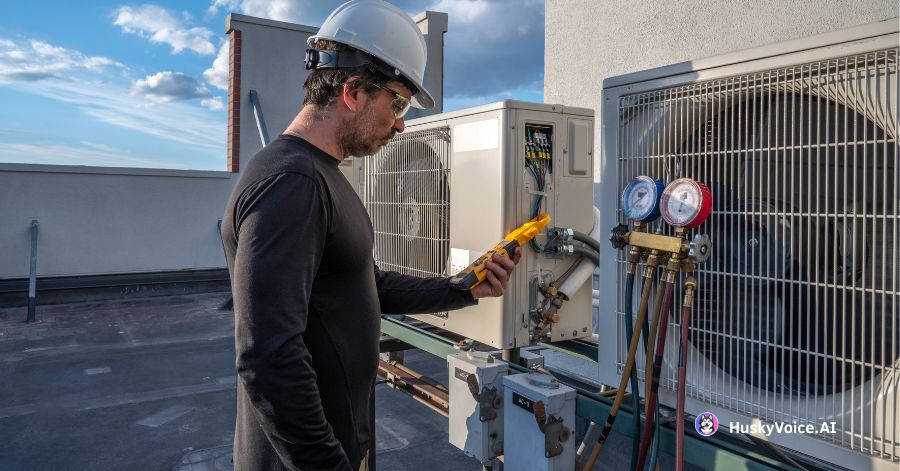
An HVAC service call often starts with a sentence like:
“My AC isn’t working.”
That sounds simple.
But before anyone can dispatch a technician, the office usually needs much more information.
Where is the property?
Is this a new or existing customer?
Is the system completely off, or is it running but not cooling?
Is this a residential or commercial property?
Is there a safety concern?
When is the customer available?
Is this inside the service area?
Is this actually a repair request — or is the customer looking for a replacement estimate?
Someone has to collect those details.
In many HVAC companies, that work falls on the receptionist, dispatcher, or customer service team.
And during busy periods, those few minutes of intake work are repeated dozens or hundreds of times.
That is where Voice AI can help.
Not by diagnosing the equipment.
Not by deciding which part needs to be replaced.
But by collecting the information the dispatch team needs before the service request reaches them.
Dispatch Starts Before a Technician Is Assigned
When people think about HVAC dispatch, they often picture a dispatcher looking at a schedule and assigning technicians to jobs.
But the quality of that decision depends on what happened before the job reached the dispatch board.
Consider these two service requests.
Request 1
Customer: John
Issue: AC not working
Phone: 555-XXXX
Request 2
Customer: Existing customer
Service address: Within primary service area
Equipment: Residential central AC
Issue: Unit is running but not cooling
Problem started: This afternoon
Safety concern: None reported
Availability: Tomorrow morning
Previous service: Existing system
Appointment preference: Earliest available
Which one is easier for the service team to act on?
The second request gives the dispatcher context.
That means less back-and-forth with the customer before the job can move forward.
Why Poor Call Intake Creates Problems Later
If the initial call does not capture enough information, the problem does not disappear.
It simply moves to someone else.
The dispatcher calls the customer back.
Or the technician discovers important information after arriving.
Or the wrong type of appointment gets created.
Or a high-value replacement opportunity gets treated like a routine repair.
Or the team schedules a customer outside the normal service area.
Small intake mistakes can create larger operational problems.
That is why the first conversation matters.
HVAC Service Calls Are Highly Repetitive
Listen to enough HVAC inbound calls and many of the same questions appear repeatedly.
A customer says:
“My furnace isn’t working.”
The office asks:
“What is the service address?”
“Are you an existing customer?”
“Is the furnace turning on at all?”
“When did the problem start?”
“Are you noticing any unusual smell or smoke?”
“When are you available?”
These questions are important.
But they are also highly structured.
That makes the initial intake stage a good candidate for automation.
What Does “Qualifying” an HVAC Service Call Actually Mean?
In sales, qualification usually means determining whether a lead is worth pursuing.
HVAC service qualification is slightly different.
The objective is to understand enough about the call to determine:
- whether the company can serve the customer
- what type of request this is
- how urgent the request appears according to business rules
- what information the service team needs
- what next step should happen
The system is not deciding whether the customer “deserves” service.
It is preparing the request for the right workflow.
Step 1: Identify the Customer
A useful call intake process starts by determining who is calling.
That may include:
- name
- phone number
- service address
- ZIP code
- new or existing customer
If the system is integrated with customer records, it may be able to identify an existing customer automatically from the phone number or other details.
That can make the conversation much faster.
Instead of:
“Can I get your full address?”
the system may be able to say:
“I found a service address ending in Oak Street. Is that the property you’re calling about?”
The less customers need to repeat information, the better the experience.
Step 2: Understand the Service Intent
Not every HVAC call is a repair call.
The caller may need:
- AC repair
- furnace repair
- maintenance
- tune-up
- replacement estimate
- new installation
- thermostat help
- indoor air quality service
- appointment rescheduling
- technician-status information
- billing support
The first job of the system is to understand what type of workflow the caller actually needs.
This matters because different intents should route differently.
For example:
Repair
→ service workflow
Maintenance
→ maintenance booking
Replacement
→ sales or estimate workflow
Billing
→ office team
Existing appointment
→ scheduling workflow
Intent recognition is the first layer of good dispatch preparation.
Step 3: Capture the Basic Problem Description
Customers rarely describe HVAC problems using technical terminology.
They say things like:
“It’s blowing air but it isn’t cold.”
“The outside unit keeps switching on and off.”
“The upstairs is really hot.”
“The furnace starts but shuts down again.”
“There’s water near the unit.”
“The thermostat is blank.”
The goal of Voice AI should not be to turn those statements into a technical diagnosis.
It should capture them accurately.
A structured output might become:
System: Central AC
Customer description: Unit running but not cooling
Started: Earlier today
That gives the technician or dispatcher useful context without pretending to know the underlying failure.
Step 4: Determine Whether the Call Needs Special Escalation
Some descriptions require a different workflow.
The customer might mention:
- smoke
- burning smell
- suspected gas issue
- serious electrical concern
- major water leakage
- another condition defined by the company as potentially unsafe
The AI should not diagnose the situation.
It should follow the HVAC company’s approved escalation instructions.
For example:
Potential escalation phrase detected
→ stop normal booking flow
→ provide approved instruction
→ route or alert according to company policy
The business defines the safety workflow.
The AI executes it consistently.
Step 5: Confirm the Service Area
This sounds simple but can save a lot of office time.
A new caller may have found the company through:
- Google Search
- Google Maps
- an advertisement
- referral
- social media
- an old service record
They may not actually be inside the normal service territory.
The AI can capture:
- ZIP code
- city
- full service address
Then apply the company’s rules.
For example:
Primary service area
→ continue normal workflow
Extended service area
→ manual review or different availability
Outside service area
→ politely explain that service is unavailable
Now the dispatcher does not have to discover that later.
Step 6: Identify Whether This Is a Repair or a Replacement Opportunity
This is an important distinction.
Imagine a homeowner says:
“My system stopped cooling again. It’s about 18 years old and we’ve already repaired it twice.”
That may still be a repair call.
But it may also be a replacement opportunity.
The system can capture clues such as:
- equipment age, if known
- repeated service issues
- customer asking about replacement
- customer asking for new equipment pricing
- desire for an estimate
Then the workflow can route appropriately.
For example:
Repair request
→ service team
Replacement interest
→ comfort advisor / sales team
Unsure
→ service appointment with replacement interest flagged
The AI is not deciding what the homeowner should buy.
It is making sure the business does not miss the intent.
Step 7: Capture Appointment Availability
Once the basic service request is understood, the system should ask:
“When would you be available?”
That can be captured as:
- earliest available
- morning
- afternoon
- specific day
- after work
- weekend
- flexible
If scheduling integration is available, the system can go further and book the appointment directly.
If not, the information still helps dispatch.
A request that says:
Customer available Tuesday morning only
is much more useful than:
Please call customer to schedule.
Step 8: Understand New Versus Existing Customer Context
Existing customers may need different treatment.
An HVAC company might have:
- maintenance-plan members
- warranty customers
- recent installations
- repeat service visits
- commercial contracts
If that context is available through integration, the intake flow can change.
For example:
Maintenance member
→ priority availability
Recent installation
→ installation/warranty workflow
Commercial account
→ commercial service team
New customer
→ standard intake
This is where CRM or field-service integration becomes especially valuable.
What Should the AI Capture as Structured Data?
After the call, the service team should not have to read an entire transcript.
A useful structured record might look like:
Customer type: Existing
Service location: In service area
Property type: Residential
Intent: AC repair
Equipment: Central AC
Customer-reported issue: Running but not cooling
Issue began: Today
Safety escalation: No
Availability: Tomorrow morning
Maintenance plan: Yes
Appointment: Scheduled
Notes: Customer prefers earliest slot
That can then become input for:
- dispatch
- CRM
- service software
- technician notes
- reporting
- customer follow-up
The value is not the conversation alone.
It is the structured handoff.
Good Call Qualification Can Help Technicians Arrive Better Prepared
The technician still needs to diagnose the problem.
But better intake can give them context before they arrive.
For example:
Call A
“AC broken.”
versus:
Call B
“Residential split AC. Indoor fan is running, customer reports warm airflow, issue started this afternoon, thermostat is set to cooling, no unusual smell reported.”
The second description does not tell the technician what is wrong.
But it gives them a clearer picture of what the customer is experiencing.
That can improve preparation and reduce unnecessary uncertainty.
Better Qualification Can Improve Routing
HVAC businesses often have technicians with different:
- service territories
- skills
- certifications
- schedules
- equipment expertise
A qualified intake request can help routing rules make better decisions.
For example:
Heat pump request
→ technician group A
Commercial rooftop unit
→ commercial team
Maintenance
→ maintenance technician
Replacement estimate
→ comfort advisor
Specific geography
→ local technician team
The more structured the initial call, the easier downstream routing becomes.
Qualification Can Help Prevent Bad Bookings
A booking is only useful if it is the right booking.
Imagine someone schedules a standard maintenance appointment.
Then the technician arrives and discovers:
- the unit is completely non-operational
- this is actually a commercial property
- the customer wants a full replacement estimate
- the property is outside the normal service area
The calendar looked full.
But the workflow was wrong.
Good qualification before booking reduces these situations.
This Can Be Especially Useful During Peak Season
During a heat wave, the front office may be trying to process calls as quickly as possible.
That creates pressure.
Questions get skipped.
Notes become shorter.
Customers wait longer.
Dispatchers have to call people back for missing details.
An AI intake layer can continue asking the same approved questions consistently even when call volume increases.
That is one of the advantages of automation:
volume does not have to reduce process consistency.
What About Customers Who Just Want to Speak With Someone?
They should be able to.
AI qualification should not become a barrier.
A customer may say:
“I’ve already explained this twice. I need the service manager.”
Or:
“This is a commercial property and it’s complicated.”
Or simply:
“Can I speak to a person?”
The system should have a clear human-handoff path.
The purpose of AI is to reduce repetitive work.
Not to trap customers inside automation.
What About Emergency Calls?
HVAC companies should define this carefully.
The AI should never independently make technical safety judgments beyond the approved workflow.
Instead, the business creates explicit rules.
For example:
If certain customer statements are detected:
→ follow company-approved safety response
→ escalate according to policy
→ do not continue normal scheduling
This keeps safety decisions under the company’s control.
Pre-Dispatch Qualification Is Also Useful for Outbound Callbacks
The same workflow can work when the company calls a customer back.
For example:
A lead comes through the website:
“AC repair needed.”
Instead of waiting for an office employee to manually call:
AI callback is triggered
↓
Customer answers
↓
Service details collected
↓
Availability confirmed
↓
Appointment scheduled
↓
Structured request sent to dispatch
This can help reduce response time for digital leads too.
How Does This Connect With HVAC Software?
The strongest implementation is not:
AI call → separate AI dashboard
It is:
AI call → structured data → existing HVAC workflow
Depending on the systems used by the company, Voice AI may connect through:
- APIs
- webhooks
- workflow automation
- CRM integration
- field-service software integration
- scheduling systems
- internal databases
The exact integration method will differ.
But the objective should remain the same:
the office should not have to manually re-enter everything the caller already said.
What Should an HVAC Company Automate First?
You do not have to automate every service intake scenario at once.
Start with the most common.
For example:
AC repair
Define:
- customer information
- service area check
- issue description
- approved safety questions
- availability
- booking rules
Then test it.
Once that workflow is reliable, add:
- heating repair
- maintenance
- estimate requests
- rescheduling
- existing customer workflows
This makes implementation much easier to control.
What Should You Measure?
If you use Voice AI for service-call qualification, useful metrics include:
- calls answered
- complete intake rate
- appointments booked
- average time to booking
- calls requiring human intervention
- missing-information rate
- routing accuracy
- after-hours leads captured
- dispatcher callbacks avoided
- appointment conversion rate
You should also get qualitative feedback from:
- dispatchers
- office staff
- technicians
Ask:
“Is the information coming from the AI actually useful?”
That question matters more than how impressive the demo sounds.
Where HuskyVoiceAI Fits
HuskyVoiceAI can be configured to handle the initial conversational workflow around HVAC service calls.
A typical flow can be:
Customer calls
↓
AI understands service intent
↓
Customer and property information captured
↓
Basic issue description collected
↓
Business-defined rules applied
↓
Service / maintenance / estimate / escalation path selected
↓
Appointment booked or request routed
↓
Structured information passed into the next workflow
APIs and webhooks can also be used to connect call outcomes with downstream systems and automation.
The goal is not to turn Voice AI into an HVAC technician.
It is to make the work that reaches the technician and dispatcher cleaner.
The Bottom Line
Dispatch efficiency begins with good information.
If every HVAC call reaches the office as:
“Customer says AC isn’t working. Please call back.”
the dispatch team still has work to do before they can make a good decision.
A better workflow collects the details while the customer is already on the phone.
Who are they?
Where is the property?
What are they experiencing?
Is it repair, maintenance, or replacement?
Is there a company-defined escalation condition?
When are they available?
What should happen next?
Voice AI can automate much of that initial intake.
Then it should step aside.
The dispatcher still dispatches.
The technician still diagnoses.
The HVAC professionals still make the important decisions.
The AI simply makes sure they start with better information.



