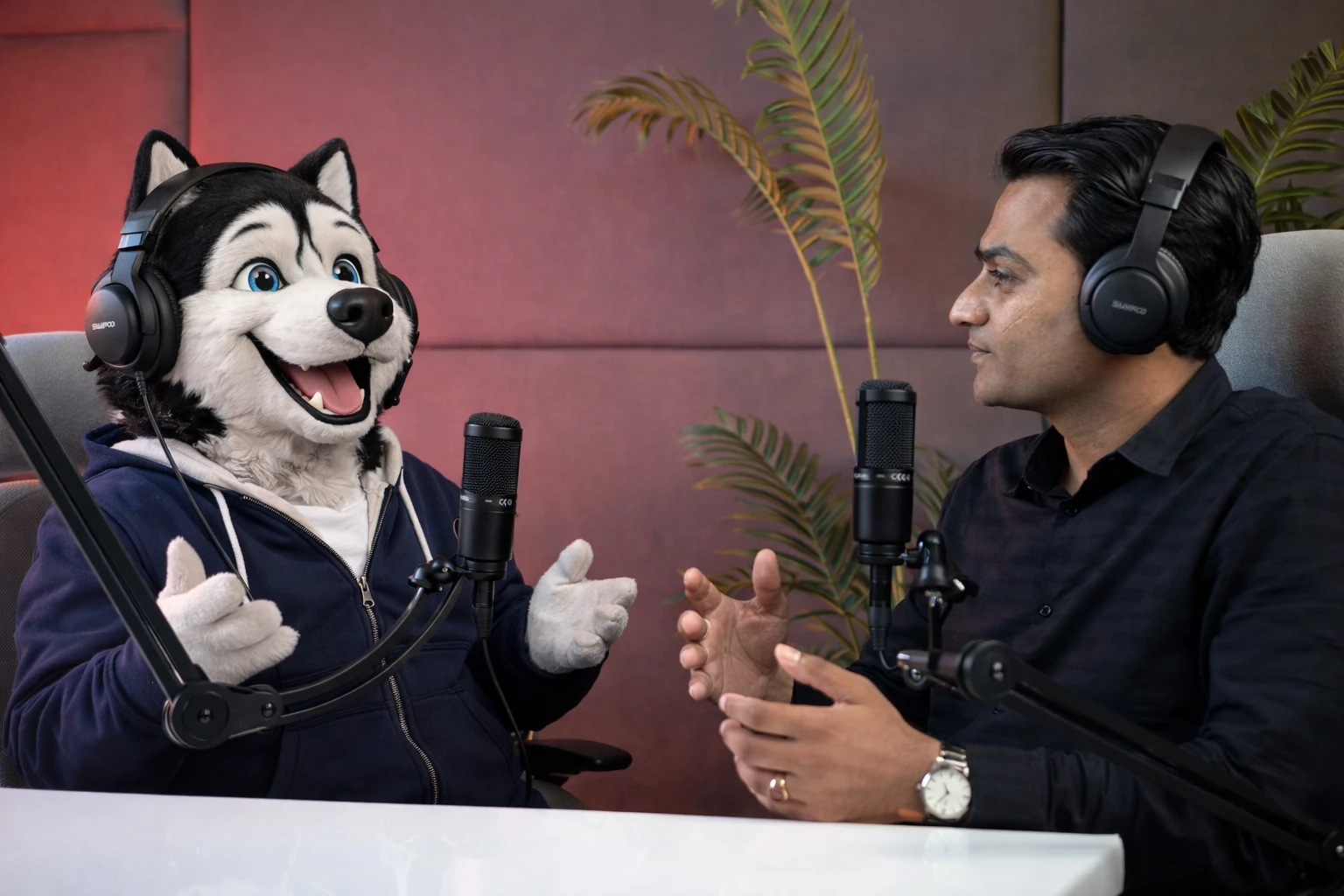
AI receptionist pricing can look confusing.
One provider charges per minute.
Another charges per call.
Another charges per interaction.
Another bundles a fixed number of minutes into a monthly plan.
And some AI receptionist platforms combine:
- subscription fees
- included usage
- phone numbers
- integrations
- overage charges
- setup or onboarding
So when a small business asks:
“How much does an AI receptionist cost?”
the answer is not one number.
A better question is:
“What will an AI receptionist cost for the amount and type of calling my business actually needs?”
As of August 2026, entry-level AI receptionist plans can start at a few dozen dollars per month, while production deployments with larger call volumes, integrations, multiple concurrent calls, or more complex workflows can move into hundreds or thousands of dollars per month. Current examples range from HuskyVoiceAI’s $24/month Base plan to Nextiva XBert at $99/month for 100 interactions and Smith.ai’s paid AI Receptionist plans starting at $150/month.
But comparing the starting prices alone can be misleading.
Let’s break down what businesses should actually compare.
Quick AI Receptionist Pricing Comparison
As of August 2026:
| Provider | Starting Price / Model | Included Usage |
|---|---|---|
| HuskyVoiceAI | $24/month Base | 100 voice credits/month |
| RingCentral AIR | $49/month standalone, or $39/month for RingEX customers | 100 minutes |
| Nextiva XBert | $99/month | 100 interactions |
| Smith.ai AI Receptionist | Free tier available; Pro starts at $150/month | Paid plans priced primarily by call volume |
| Enterprise / custom Voice AI | Varies | Usually based on volume, workflows and integrations |
HuskyVoiceAI currently lists a $24/month Base plan and a $108/month Professional plan on yearly billing, with Enterprise priced separately. RingCentral currently lists AIR at $49/month standalone or $39/month for RingEX customers, including 100 minutes. Nextiva lists XBert at $99/month for 100 interactions, then $0.99 per additional interaction. Smith.ai currently offers a free 25-call tier and a Pro tier beginning at $150/month.
Pricing changes frequently, so always verify the vendor’s current plan before making a purchasing decision.
Why AI Receptionist Prices Are So Different
Two products can both call themselves:
“AI receptionist”
while solving very different problems.
One may primarily:
- answer
- take a message
- route the caller
Another may:
- identify an existing customer
- understand the call intent
- check appointment availability
- book
- update CRM
- send confirmation
- trigger follow-up
The second workflow requires more than simply generating a conversational response.
That is one reason pricing needs to be evaluated against functionality.
The Five Common AI Receptionist Pricing Models
Most AI receptionist products use one or a combination of these models.
1. Monthly Subscription
The simplest model is:
$X per month
for access to the AI receptionist.
The plan may include:
- a certain number of minutes
- calls
- interactions
- credits
This model is easy to understand.
But you still need to look at what happens when included usage runs out.
2. Per-Minute Pricing
Some Voice AI platforms charge based on call duration.
For example:
1,000 minutes used
×
price per minute
=
monthly usage charge
This model can work well when call durations are relatively predictable.
But long conversations cost more than short ones.
That means businesses should estimate:
average call duration
not just:
number of calls.
3. Per-Call Pricing
Other providers charge for each completed call.
Smith.ai’s current AI receptionist pricing is largely structured this way, with different per-call rates depending on plan and included call volume.
This can be convenient if your calls vary significantly in length.
A two-minute appointment request and a six-minute intake call may count similarly under a per-call plan.
But businesses with many short calls should compare the economics carefully.
4. Per-Interaction Pricing
Nextiva takes a different approach with XBert.
Its current $99/month plan includes 100 interactions, with additional qualifying interactions charged at $0.99 each. Nextiva defines an interaction based on criteria such as a phone call lasting at least 30 seconds or sufficient AI exchanges over text/chat.
This model matters because the service spans:
- phone
- SMS
- web chat
so it is not purely a telephone-minute model.
5. Credit-Based Pricing
Another approach is to give businesses a monthly allowance of credits.
HuskyVoiceAI currently uses this structure.
Its US pricing lists:
Base
$24/month on yearly billing
Includes:
- 100 voice credits
- one phone number
- inbound and outbound calls
- appointment booking and follow-ups
- call summaries and recordings
Professional
$108/month on yearly billing
Includes:
- 1,500 voice credits
- up to four channels on one number
- outbound recall and follow-up campaigns
- APIs and webhooks
- routing and human handoff
- onboarding and priority support
Additional USD voice credits are currently listed at $0.07 each, with calls typically consuming between 0.65 and 2 credits per minute depending on the selected voice.
The important point is:
one credit does not necessarily equal one minute.
Always understand how the vendor converts usage into the billing unit.
What Does an AI Receptionist Actually Cost at 1,000 Calls a Month?
This is where comparisons become more useful.
Suppose your business receives:
1,000 calls/month
and the average call lasts:
3 minutes
That means approximately:
3,000 voice minutes/month.
But this still does not give you a direct vendor comparison.
Why?
Because:
- one vendor bills by minute
- one by call
- one by interaction
- one by credits
And some calls may be transferred before the full three minutes.
Others may be resolved immediately.
So before comparing plans, collect these five numbers.
1. Calls per month
For example:
1,000
2. Average call duration
For example:
3 minutes
3. Peak simultaneous calls
For example:
4
4. Percentage requiring human transfer
For example:
15%
5. Percentage requiring workflows
For example:
40% scheduling
20% FAQs
15% sales qualification
10% callbacks
15% complex / human
These numbers tell you much more about expected cost.
Low-Volume Small Business Example
Consider a dental office receiving:
150 calls/month
Most calls are:
- appointment booking
- rescheduling
- business-hours questions
The business may not need a large production deployment.
A lower-volume plan with a phone number and basic booking workflow could potentially be enough.
The important questions are:
- Does the plan include appointment booking?
- How much usage is included?
- Are integrations included?
- What happens if monthly call volume doubles?
The cheapest plan may work perfectly if the business only needs modest coverage.
Medium-Volume Business Example
Now consider an HVAC company receiving:
800 calls/month
Average duration:
3 minutes
During hot weather, it may receive several calls simultaneously.
The company wants:
- daytime overflow
- after-hours answering
- service intake
- appointment booking
- human escalation
Now concurrency and workflow capability become more important.
A plan designed purely for low-volume message taking may no longer be appropriate.
The business should compare:
- monthly included usage
- concurrent call capacity
- scheduling integrations
- routing
- overages
- seasonal scaling
High-Volume Example
Consider a multi-location business receiving:
10,000+ calls per month.
Now the discussion changes again.
The business may need:
- several concurrent channels
- CRM integration
- custom workflows
- SLA
- multiple phone numbers
- custom routing
- reporting
- security review
- dedicated onboarding
At this point, enterprise or negotiated volume pricing may make more sense than a standard small-business plan.
HuskyVoiceAI, for example, currently lists custom Enterprise pricing for high-volume deployments with features such as SLAs, custom integrations, SIP trunk options and dedicated support.
Don’t Compare Only the Monthly Subscription
Suppose:
Vendor A
$49/month
Vendor B
$108/month
It is tempting to conclude:
Vendor A is cheaper.
But that comparison is incomplete.
Ask what each plan includes.
You may need to add:
- usage
- phone number
- extra minutes
- CRM integration
- calendar integration
- setup
- human transfers
- additional concurrency
- outbound calls
Your actual monthly cost may look very different from the headline price.
Hidden Cost #1: Overage
This is one of the first things to check.
Suppose a plan includes 100 calls or 100 minutes.
Your business normally uses 80.
Great.
Then a seasonal spike generates 300.
What happens?
Do you pay:
- extra per minute?
- extra per call?
- extra per interaction?
- upgrade automatically?
Understand overage pricing before deployment.
Otherwise a low-cost plan can become unexpectedly expensive during your busiest month.
Hidden Cost #2: Phone Numbers
Ask whether the plan includes:
- local business number
- toll-free number
- existing-number forwarding
- number porting
- international number
Some platforms include phone numbers.
Others charge separately.
If you operate in several countries or locations, this becomes more important.
Hidden Cost #3: Integrations
A vendor may advertise integrations.
But the package may vary.
Ask whether CRM and scheduling integrations are:
- included
- available only on higher plans
- charged separately
- custom implementation
For example, HuskyVoiceAI’s current Professional plan explicitly includes API and webhook integrations, whereas its lower-cost Base plan is designed for smaller or POC deployments.
Hidden Cost #4: Concurrent Calls
Imagine your plan is affordable.
But it only allows one active conversation.
The moment two customers call simultaneously, the second cannot be handled.
If simultaneous call handling is one reason you are buying AI, concurrency should be part of the pricing comparison.
Ask:
How many calls can the plan handle at the same time?
And:
What does it cost to increase that number?
Hidden Cost #5: Human Escalation
Some platforms provide:
AI → live human receptionist
as part of the offering.
Others provide:
AI → your employee
through call transfer.
Those are different models.
Smith.ai, for example, explicitly combines its AI Receptionist product with live-agent support and escalation options.
If live outsourced human receptionists are part of your requirement, include that cost in the comparison.
Hidden Cost #6: Outbound Calling
Many small businesses initially buy Voice AI for incoming calls.
Then they want:
- appointment reminders
- missed-call callbacks
- lead follow-up
- confirmations
- customer reactivation
Ask whether outbound calling is included.
If not, you may eventually need a second platform.
That increases both software cost and operational complexity.
Compare the Cost With the Alternative
AI receptionist pricing makes more sense when compared against the problem it replaces.
The alternatives may include:
- another employee
- overtime
- answering service
- voicemail + manual callbacks
- lost calls
- administrative scheduling work
Do not compare AI cost with:
$0 voicemail
without considering the work and opportunities that happen afterward.
Voicemail Is Cheap — Until Someone Has to Process It
Voicemail might cost almost nothing.
But imagine 20 customers leave messages.
Someone now needs to:
- listen
- identify the caller
- understand the request
- call back
- wait for an answer
- ask additional questions
- schedule
The software cost is low.
The workflow cost may not be.
Compare Cost Per Outcome
This is one of the most useful ways to evaluate AI receptionist pricing.
Suppose two systems cost:
AI Receptionist A
$200/month
AI Receptionist B
$400/month
System A answers calls and captures messages.
System B also books:
120 appointments/month.
Then ask:
Cost per booked appointment
$400 ÷ 120
≈ $3.33 per booked appointment
That can be much more meaningful than:
$0.10/minute versus $0.15/minute.
Useful Cost Metrics
Depending on your business, calculate:
Cost per answered call
Monthly AI cost ÷ calls answered
Cost per appointment
Monthly AI cost ÷ appointments booked
Cost per qualified lead
Monthly AI cost ÷ qualified leads
Cost per recovered missed call
Monthly AI cost ÷ missed callers recovered
Cost per resolved inquiry
Monthly AI cost ÷ calls completed without staff involvement
Those metrics connect technology spend with business outcomes.
What About ROI?
Imagine a home-service company pays:
$300/month
for its AI receptionist.
During that month the system helps recover:
- 20 calls that would have gone unanswered
- 12 service appointments
Suppose only a portion turn into revenue-producing jobs.
The ROI may already exceed the software cost.
The calculation is:
incremental gross profit generated
minus:
AI receptionist cost
The critical word is:
incremental.
Do not count appointments that your existing team would have booked anyway.
Try to measure what the AI actually added.
AI Receptionist vs Human Receptionist Cost
This comparison should be made carefully.
A human receptionist and an AI receptionist do not perform exactly the same job.
Humans are better suited to:
- complex exceptions
- empathy
- negotiation
- unusual situations
- relationship-sensitive conversations
AI tends to be strongest at:
- repetitive calls
- overflow
- after-hours
- simultaneous conversations
- structured intake
- routine scheduling
So the business question is not necessarily:
“Which is cheaper?”
It may be:
“Which work belongs with each?”
A common model is:
human team + AI overflow
rather than choosing only one.
AI Receptionist vs Traditional Answering Service Cost
Traditional answering services usually involve human operators.
That can be valuable when calls require human judgment.
AI answering can be more scalable for repetitive call types and simultaneous conversations.
When comparing the two, look at:
- monthly minimum
- per-call fees
- per-minute fees
- after-hours charges
- message taking
- appointment booking
- integration
- human escalation
And most importantly:
What happens after the call?
A service that takes a message may still create work for your team.
When Is the Cheapest Plan Enough?
Choose a simpler entry-level plan when:
- call volume is low
- workflows are straightforward
- one phone number is enough
- few integrations are required
- you’re running a pilot
- human staff handle most calls
There is no reason to buy enterprise capabilities if you do not need them.
When Should You Pay More?
A higher-tier plan may make sense when you need:
- larger call volume
- multiple simultaneous calls
- integrations
- CRM workflows
- outbound calling
- custom routing
- multiple locations
- SLA
- custom support
The more tightly Voice AI becomes integrated with business operations, the more important reliability and implementation support become.
Should You Start Monthly or Annually?
If you are testing AI reception for the first time, flexibility has value.
A sensible approach may be:
- pilot the workflow
- measure actual usage
- understand call patterns
- identify operational value
- then evaluate longer-term pricing
Do not buy based entirely on estimated usage if you can first measure it.
Run a 30-Day Cost Test
For your first month, track:
Usage
- calls
- minutes
- peak concurrency
Outcomes
- appointments
- qualified leads
- FAQs resolved
- transfers
- callbacks
Human workload
- callbacks avoided
- manual scheduling avoided
- repetitive calls removed
Commercial impact
- opportunities captured
- jobs booked
- leads recovered
At the end of the month, you can calculate your actual economics.
What Should Small Businesses Budget?
A practical way to think about AI receptionist pricing is in tiers.
Basic / Pilot
Roughly tens of dollars per month
Suitable for:
- low call volume
- testing
- basic answering
- simple workflows
Current products such as HuskyVoiceAI Base and RingCentral AIR illustrate this entry-level price range.
Small-Business Production
Roughly $100–$500+ per month
Common when businesses need:
- larger usage
- scheduling
- integrations
- multiple workflows
- more support
Current Nextiva and Smith.ai paid plans fall within or begin around this range depending on usage.
Higher Volume / Advanced
Hundreds to thousands per month
Potentially appropriate for:
- multi-location businesses
- large call volumes
- several concurrent calls
- deep CRM/dispatch integration
- custom workflows
- SLA requirements
These deployments are frequently priced individually.
The ranges are directional rather than universal because vendors use very different billing units.
Where HuskyVoiceAI Fits
HuskyVoiceAI currently offers a tiered approach.
Its US pricing lists:
Base
$24/month on yearly billing
Designed for POCs and small teams.
Includes:
- 100 monthly voice credits
- one phone number
- inbound and outbound calls
- appointment booking
- follow-ups
- call summaries
- recordings
Professional
$108/month on yearly billing
Designed for production deployments with integrations.
Includes:
- 1,500 monthly voice credits
- up to four channels
- outbound follow-up campaigns
- APIs and webhooks
- routing
- human handoff
- onboarding
Enterprise
Custom pricing
Designed for larger deployments requiring higher volume, SLAs or custom infrastructure.
The key consideration is choosing the plan based on the workflow rather than simply choosing the smallest monthly number.
12 Pricing Questions to Ask Every AI Receptionist Vendor
Before purchasing, ask:
- What is the monthly base fee?
- What usage is included?
- How is usage measured?
- What is the overage price?
- How many concurrent calls are included?
- Is a phone number included?
- Are inbound and outbound calls both supported?
- Are calendar integrations included?
- Are CRM integrations included?
- Is human handoff included?
- Are setup or onboarding fees required?
- What would my expected monthly bill be at my actual usage?
Ask the vendor to calculate the last one.
Give them:
your real call numbers.
The Bottom Line
AI receptionist pricing in 2026 ranges from inexpensive entry-level plans to custom enterprise deployments.
But asking:
“What is the cheapest AI receptionist?”
is usually the wrong question.
Instead ask:
“What does it cost to successfully handle the calls my team currently misses, delays, or processes manually?”
A $50 product that only takes messages may be more expensive operationally than a $200 product that books appointments.
A $500 system may be inexpensive if it helps recover thousands of dollars in otherwise lost opportunities.
So compare:
usage
plus:
workflow completion
plus:
human time saved
plus:
business outcomes.
Because the most important number is not:
price per minute.
It is:
cost per useful customer outcome.



